How to switch from TripIt to Petrel
To move from TripIt to Petrel Voyage, forward your booking confirmation emails to your trip, or export your TripIt calendar as an .ics file and import it. Petrel reads them and builds one day-by-day itinerary in under a minute.
Get your bookings out of TripIt
Your flights, hotels, and reservations in TripIt arrived as confirmation emails, and those are still in your inbox. You can also export a whole trip from TripIt as a calendar (.ics) file.
Hand them to Petrel
Forward the confirmation emails to your trip in Petrel, or open Petrel and use Import files to drop in the emails, PDFs, screenshots, or the calendar file. No account is needed to start.
Petrel builds the itinerary
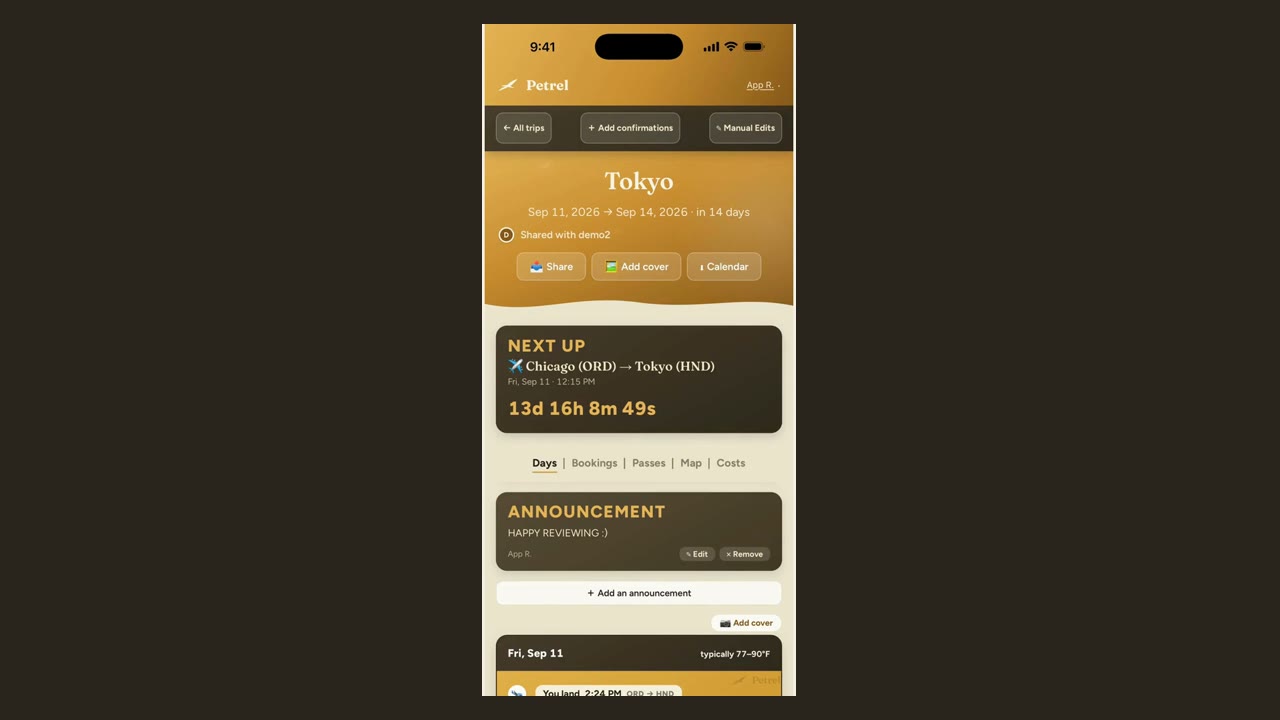
Petrel reads each booking and assembles one day-by-day itinerary in under a minute, with travel time between stops. Flights, hotels, and reservations land on the right day automatically, and the original document stays attached to each one.
Check it and make it yours
Add anything there was no confirmation for, invite the people you travel with to view or edit, and your trip is ready. Your first trip is free with every feature.
Switching from TripIt: common questions
Can I import my TripIt trips into Petrel?
Yes. Your flights, hotels, and reservations all started as confirmation emails that are still in your inbox, so you forward those to Petrel and it rebuilds the trip. If you would rather move a whole trip at once, export it from TripIt as a calendar (.ics) file and import that. Petrel reads either the same way.
Do I have to cancel TripIt before switching to Petrel?
No. You can build your first trip in Petrel for free and keep TripIt until you are ready. Nothing you do in Petrel touches your TripIt account.
Do I need an account to switch from TripIt to Petrel?
No. You can build your first trip in Petrel before making an account, and your first trip is free with every feature and no credit card.
Does Petrel read my email inbox the way TripIt did?
No. Petrel reads only what you hand it: the confirmations you forward or the files you import. It never connects to your inbox and never reads mail you did not send it.
Will my trip still work if I lose access to TripIt?
Yes. Once a trip is in Petrel it lives in Petrel, and saved trips open offline with no signal, so a change to TripIt cannot take your itinerary away.
What does Petrel cost after the first trip?
Your first trip is free with every feature and no card. After that, Voyager is 49 dollars a year for unlimited trips, or a single extra trip is 9.99 dollars. No feature is held back from a free trip.
Comparing first? See Petrel vs TripIt, the full FAQ, or the best trip organizers.
Move your next trip over free
Forward a confirmation email, a screenshot, or a PDF and watch Petrel build your day-by-day itinerary.
Plan your first trip freeFirst trip free. No account, no credit card.