Google Trips / Google Travel alternative
A fuller alternative to Google Trips and Google Travel
You booked the trip. Petrel organizes it. Petrel Voyage does more: it reads confirmations from any inbox and any format, and builds an itinerary you can edit, share, and open offline.
Your first trip is completely free. No feature limits. No credit card.
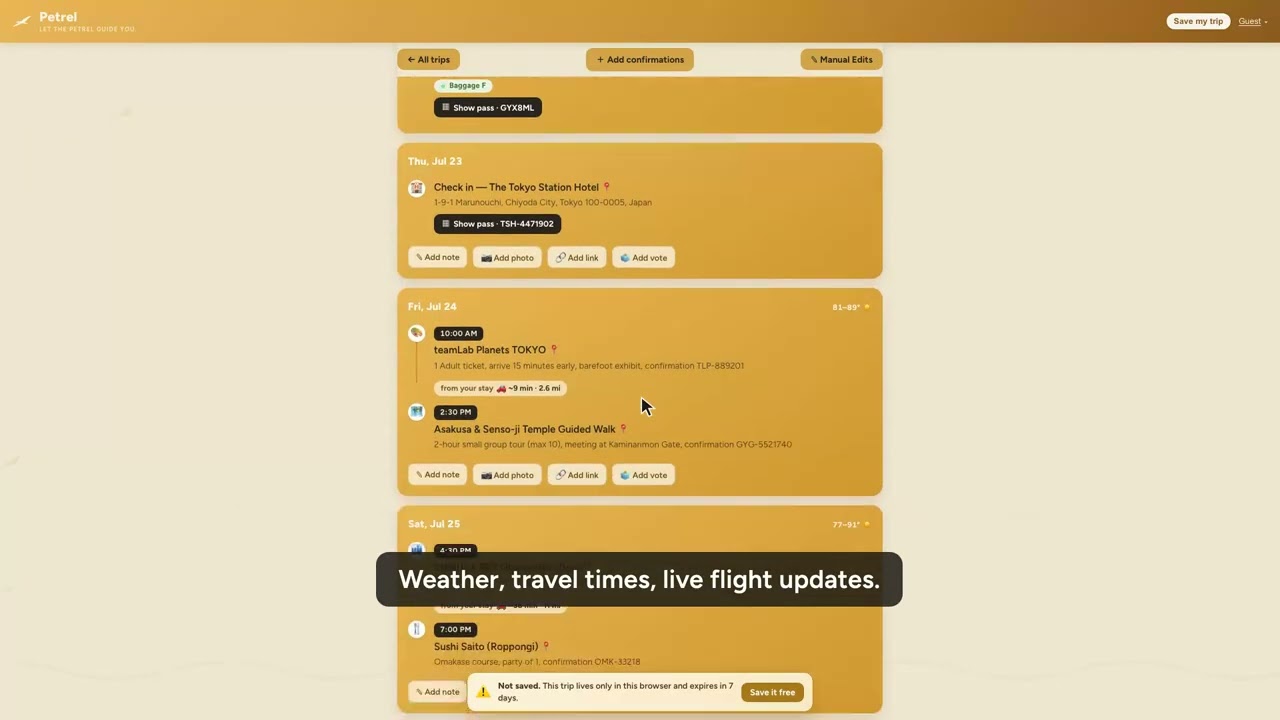
If all of your bookings land in Gmail, Google Travel is a handy, automatic timeline. But it only sees Gmail, only what Google recognizes, and it is really just for you to look at. Petrel takes confirmations from any inbox, plus PDFs, photos, and folders of screenshots, turns them into a day-by-day plan you can actually edit and hand to the people you travel with, shows live flight status, and keeps working when you land with no signal. Here is how they compare.
Petrel Free first trip |
Google Travel Free, Gmail-based |
|
|---|---|---|
| Organizes bookings from your email automatically | ✓ | ✓ Gmail only |
| Works with any email provider, not just Gmail | ✓ | – |
| Upload PDFs, photos, and paper vouchers | ✓ | – |
| Edit the itinerary and add reservations by hand | ✓ | ✓ |
| Invite companions to view and edit | ✓ | Private to you |
| Live flight status inside your trip | ✓ | In Search, not your trip |
| Full offline access to your itinerary | ✓ | Browser, online |
| Post-trip recap a mapped story of where you went | ✓ | – |
| Business travel: work/personal split + expense reports | ✓ | – |
| No Google account required | ✓ | – |
No account needed. Try it right now. Free for your first trip. Voyager is $49 a year for unlimited trips when you are ready.
Why go beyond Google Travel
- 1
Your bookings are not all in Gmail
Some arrive in a work inbox, some as a PDF, some as a photo of a paper voucher. Google Travel only sees Gmail. Petrel reads all of them, from any inbox and any format, and builds one itinerary.
- 2
You want to do more than look
Edit the plan, add a dinner reservation by hand, invite the people you travel with to view and edit, and split costs. Google Travel is a private timeline for you alone.
- 3
You need it at the gate and after you get home
Open the whole trip offline with live flight status, keep work trips separate with expense reports, and get a mapped recap in your inbox about a week after the trip.
Why travelers pick Petrel over a Gmail timeline
- 📥
Any inbox, any format
Forward from any email provider, upload a PDF, photograph a paper voucher, or drop a folder of screenshots. Nothing gets left out because it was not in Gmail.
- 👥
Made to share, not just to view
Invite a partner, family, or coworker to view and edit the trip for free. It is a plan everyone can use, not a private timeline.
- ✈️
Live flight status and true offline
See a gate change or delay in your itinerary, and open the whole trip with no signal at a foreign airport.
- 🗺️
A mapped recap, about a week after you land
About a week after your trip, Petrel mails you a recap: every city, stay, and reservation, mapped into a story worth keeping.
Common questions
Is Petrel a good Google Trips alternative?
Yes. Google Travel, the successor to the Google Trips app, passively organizes bookings it finds in Gmail. Petrel reads confirmations from any inbox and any format, builds an itinerary you can edit and share, shows live flight status, and works fully offline. Your first trip is free.
What happened to the Google Trips app?
Google retired the standalone Google Trips app in 2019 and folded its features into Google Search and Google Maps at google.com/travel, which builds a trip timeline from bookings in your Gmail. Petrel is a dedicated organizer that is not limited to Gmail and adds editing, sharing, offline access, and expense reports.
How is Petrel different from Google Travel?
Google Travel only reads bookings that land in Gmail and that Google recognizes. Petrel accepts any email provider plus PDFs, photos, and folders of screenshots, lets you invite companions to view and edit, shows live flight status, works offline, keeps work and personal trips separate, and mails you a recap.
Does Google Travel work with providers other than Gmail?
Google Travel builds trips from bookings in your Gmail. If your confirmations arrive in another inbox, or as a PDF or photo, they will not appear automatically. Petrel takes confirmations from any inbox and any format.
How much does Petrel cost?
Your first trip is completely free with every feature and no credit card. After that, Voyager is $49 a year for unlimited trips, or a single extra trip is $9.99.